

TensorFlow GPU安装指南
创始人
2025-05-28 17:10:15
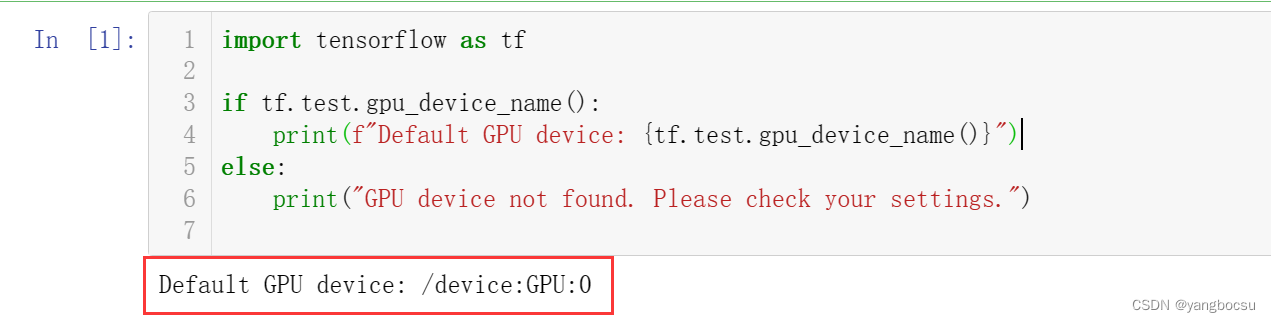
测试你当前的环境是否已经支持:
import tensorflow as tfif tf.test.gpu_device_name():print(f"Default GPU device: {tf.test.gpu_device_name()}")
else:print("GPU device not found. Please check your settings.")
如果正确配置了GPU,就有会有:
Default GPU device: /device:GPU:0
使用 pip 安装 TensorFlow
注意:TensorFlow 2.10 是最后一个 TensorFlow 版本。 原生 Windows 上支持的 GPU。 从TensorFlow 2.11 开始,您需要在 WSL2 中安装 TensorFlow, 或者安装 TensorFlow-cpu
默认已经按照好了: Miniconda
创建新的conda 环境
conda create --name tfGPU python=3.9
GPU 安装
先要安装 NVIDIA GPU 驱动,
然后用 conda 安装 CUDA, cuDNN
conda install -c conda-forge cudatoolkit=11.2 cudnn=8.1.0
安装TensorFlow
先升级 最新的 pip
pip install --upgrade pip
TensorFlow 2.10 是最后一个 TensorFlow 版本。 原生 Windows 上支持的 GPU。
所以安装2.11以前的版本
pip install "tensorflow<2.11"
验证TensorFlow CPU的安装
python -c "import tensorflow as tf; print(tf.reduce_sum(tf.random.normal([1000, 1000])))"
输出 tensor 张量的数据,就是安装好了。

验证TensorFlow GPU的安装
python -c "import tensorflow as tf; print(tf.config.list_physical_devices('GPU'))"

相关内容
热门资讯
科创板创新药企BD授权交易总额...
2026年半年度财报季已收官,在创新药企业以业绩扭亏和BD兑现吸引市场目光的同时,以CXO为代表的上...
本周末10余家公司披露回购增持...
9月13日晚间,三一重工、天安新材、永茂泰等多家主板公司同步披露股份回购进展,以真金白银的行动践行对...
李想发文:i9是满分答卷,理想...
9月10日,理想汽车CEO李想通过个人微博发文宣布,理想i9将于9月16日正式发布。李想表示,理想i...
胡塞速通红海西岸,伊朗手握两大...
谁也没想到,胡塞武装突然发威,从9月3号南下发起总攻,打得沙特支持的也门政府军节节败退,尤其是9月1...
周末10余家沪市主板公司披露回...
中经记者 孙汝祥 夏欣 北京报道9月13日晚间,三一重工、天安新材、永茂泰等多家主板公司同步披露股份...